





Here are several pieces of Bally Arcade source-code; each can be assembled using Zmac. If any of these very short descriptions sounds appealing, then check out the source-code for more details.

|
8 Colors - Author Unknown Display 8 colors (in this case white black spread). (Nov. 20, 2003) |

|
Blank Bitmap - By Adam Trionfo This program displays a blank bitmap. It can be easily modified to contain a picture (this is the set-up that was used to created the Muticart title screen). (Mar. 13, 2002) |
(Lance Squire)_02.jpg)
|
Christmas Special - By Lance Squire The demo is a house surrounded by trees with Santa on his sleigh that is pulled through the air by three reindeer. Four versions of the demo are included in this master archive. (December 2008) For a complete rundown and description of all the files included in this archive, read here. |
|
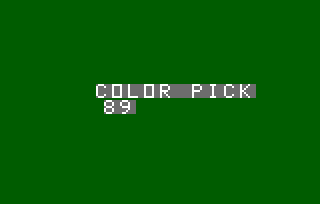
Color Picker - By Michael Garber A helpful tool/demo. Choose a background color using the knob and get its corresponding hex number for the Astrocade. (May 5, 2007) |
|
1) Critter 2000 [Current Version, Dec. 2011] 2) Critter (From MLM Manual)[Outdated] 3) Critter (From Peek 'N Poke Manual)[Outdated] |
Critter - By Brett Bilbrey Source code from the Machine Language Manager and Peek n' Poke Manual Manuals. This source code will assemble, but will NOT run as a cartridge. It is for reference purposes only. |
(Michael Matte)_tn.jpg)
|
EEPROM Programmer By Michael Matte. Written in 2017. Program uses Bit Fiddler's Machine Language Manager (MLM) to copy to EEPROM. Call 4E10H. Source to copy begins at 6000H. Copy destination is at 8000H. |
|
Fast Action Graphics |
Fast Action Graphics - By John Perkins (?) "Arcadian" Vol 2, No. 10 (Sept 17. 1980) "Fast Action Graphics" using Foreground/Background Processing. The author is not stated, but the program is probably written by John Perkins. This program was published with an accompanying article. This program runs on a Bally/Astrocade in the expansion RAM beginning at $6000. This program was originally meant to be entered into the Blue Ram Utility as a machine language program. This is still a method that works well to enter to program, thus the hexadedimal machine language code for the entire 119 byte program is given here: Fast Action Graphics are demonstrated in this machine code background routine. Enter this program using your Blue Ram Utility and watch the Perkin's Engineering graphic (a "PE") bounce around the screen without disturbing what is there! The speed of motion is controlled by the #1 knob. Another special effect produced by this routine is a "curtain of invisibility" at the top of the screen. As the graphic moves behind the curtain, it disappears one-half pixel at a time. The size of the curtain is also controlled by the #1 knob. Notice that you can still enter programs, etc. in BASIC because the graphic movement is performed in the background mode where it does not tie up the processor. To Stop the background process from the foreground process using BASIC, enter: :RETURN [GO]. To Start it up again, enter: CALL 24576 [GO] |
(Michael Matte)(Astrocade)_tn.jpg)
|
High-Res "Test Rotate" Routine By Michael Matte. Written in 2017. The "Rotate" routine rotates a 4x4 pixel pattern that resides in the Astrocade's user RAM. This routine was written for use on a modified high resolution Astrocade. The "Nutting Manual" says that the rotate function of the Magic System does not function on a low-res Astrocade console. Specifically, page 98 of the manual says, "the rotator can only be used in commercial [hi-res] mode." However, Michael discovered that it is just a case that the on-board graphic subroutines in the Astrocade's ROM do not support the Rotate function. The Astrocade's hardware does support the rotate function, but the user has to write the routine to tell the hardware to rotate the pattern. The documentation included with this hand-written Z80 source code provides the needed changes to use the rotate function on a low res Astrocade unit. The routine does the following:
|
(Michael Matte)_tn.jpg)
|
Hi-Res Textured 10 Color Test Pattern By Michael Matte / MCM Design Written in 2017. This program is an upgraded hi-res version of Bit Fiddler's "Standard Color Generator" listed in the Machine Language Manager's User Manual on page 7-4. This output a very cool graphic pattern on a 20" RF TV using composite video output. The routine is self-supporting and uses NO outside CALLs. Michael says, "Have fun mixing up colors and hi-res texture. You can change the surrounding border. You can also change the vertical bar color/textures in the pixel set. You can display solid colors or textures colors. Note that even though 8 colors were specified, the texturing effect in routine yields 2 additional colors. So, the routine displays ten colors total. "Wish you could see this hi-res test pattern on my 20" Toshiba using my hi-res Astrocade with composite video signal output. it is so cool. Here's hoping you can share this experience on the MAME emulator." |
|
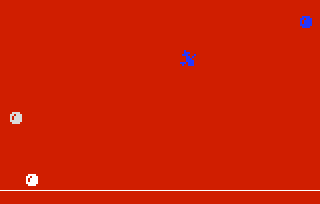
Program Tests (with Flying Witch Pattern) - By Lance Squire (Modified by Adam Trionfo) Changed the "Critter" pattern in Lance's "ProgramTests.asm" into the "Flying Witch" pattern (taken from the General Video Assembler Sample Program 2.) No actual code was changed; just the graphic of the "Critter." (Feb 17, 2006) |
|
Flying Witch Demo |
Flying Witch Demo - By General Video From the General Video Assembler Documentation; (Appendix G). This is General Video Assembler Sample Program 2, sometimes referred to as the Flying Witch Demo. This program does NOT run as a cartridge, it isn't mean't to; it runs under AstroBASIC (with a RAM expansion). This program can be assembled fine using ZMac, but there is no way to run it unless you assemble it under the General Video Assembler. It is here for learning purposes only. Written in 1982 by General Video. |
| Fonttest.zip |
Replacement Character Font for use with Blue Ram Basic 1.1 - By Richard Degler Since the PAC-MAN font never got posted [to Ballyalley.com], here's an almost identical one that was in my Windows\FONTS\ folder as WST_ENGL.FON that I translated into a Bally-style Font Descriptor Block and Font Table (all by hand). Now that everybody has a little Blue Ram clone (well, except for me...) and Blue Ram Basic 1.1 (hopefully) this will provide a new screen font. I tried to convert it into a 2000 baud .WAV file but it didn't work right for me. What's needed is a simple BIN2WAV.exe program for data files. I couldn't test it but it SHOULD work alright. Anyway, if someone can get it to load into $8000 please tell the others how you did it. Just enter "CF=!8000" and then either type in stuff, list a program, or write a program to print random characters. Viola! A new 8x8 Character Font!! A bit large for everyday use, but it shows that it can be done. Enter "CF=SM." or "CF=L." to cancel it. Will not run as a cartridge! (Apr. 20, 2008) |
|
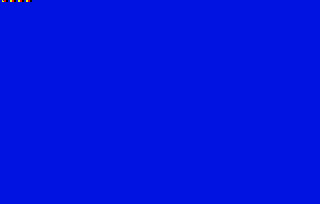
Four Color Test - Adam Trionfo Very short program that displays 16 four-color pixels. (Nov. 30, 2003) |

|
Fun with Vectors - No Ghosts Allowed - Richard Degler Another unfinished project. This is "Fun with Vectors - Ziggy" with an overly large "No Ghosts Allowed" from Ghostbusters image instead. I wanted to write a display routine that could draw it without flickering but it might be beyond the Bally's ability. (June 2009) |
|
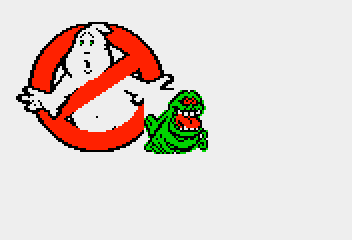
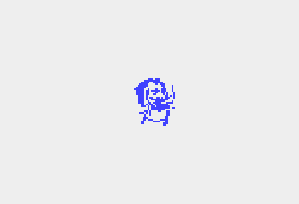
Fun with Vectors - Slimer - Richard Degler This is the last thing that Richard did with "Fun with Vectors." This has a stationary "No Ghosts Allowed" and the updated Slimer. "I was going to see how many Slimers it could draw - think another one at most! The program still has the mangled Gaz-Giz when moving left - never did put in a FLOP like Lance's X-mas display had. Pull the trigger to slow Slimer way down (but not always stop!)." (Summer 2009) |
|
Fun with Vectors - Ziggy - Richard Degler A demo on moving an object. This was originally written in 1985, but was updated in November 2008. This demo moves one pixel per sixtieth of a second by Joystick ONE and continues in the same direction with rubber walls on trigger in. There are four different versions of the demo included here. (1985 and Nov. 2008) |
|
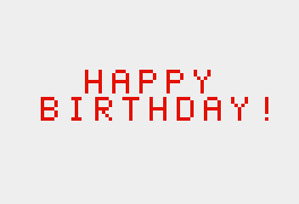
"Happy Birthday" Song. By Adam Trionfo (Fixed-Up Version by "hxlnt"). This plays the "Happy Birthday" song. The notes aren't quite right and the timing is wrong. How about giving me a birthday present and helping to make this sound right? Well, what do you know? "hxlnt" posted to the AtariAge forums on Monday, Jan 22, 2018 at 9:11PM with a fixed-up version of the birthday tune. She says, "Speaking of sound, I noticed a request on the Bally Alley website to clean up some of the notes in the Happy Birthday music demo, so I took a shot at it." Here's her version on the song: The transcription used for this song has been scanned and can be found here: |
(Chris_Martin)_tn.png)
|
Happy New Year Demo 2024. By Chris Martin. January 2024. This is the final release of the New Year 2024 Demo. Chris Martin wrote, "I figured out how to properly loop in a Bally Astrocade ASM program, so I was better able to continuously cycle. Good building block for future work." The 8K cartridge image and the Z80 source code are included. A short video of this demo in action can be viewed here:
|
|
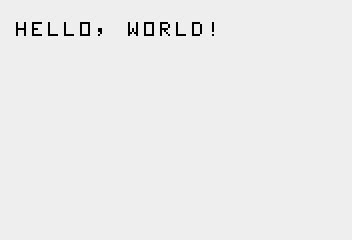
Hello World! - Adam Trionfo This program displays a short string, "HELLO, WORLD!" (September 2011) |
|
Hi-Res Demo Program. By Adam Trionfo. 2002. This program displays, in hi-res, 16 pixels starting at $4000 (the top-left side of the screen). The colors are repeated twice (two whites together, two blacks together, etc) so that they can be disguised from each other. This program works on the Astrocade emulator in MAME, but not a real Astrocade (although it will probably work on an Astrocade modified for hi-res mode). This program only displays in the top-left 1/4 of the screen (since the Astrocade only has 4K of RAM and this isn't really "true" hi-res [there's not 16K]). The programs in this archive are:
|
|
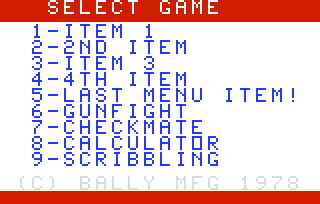
Menu Test - Lance F. Squire Assembly code detailing a cart header with menu. Use eight-space tab format. (2002) |
|
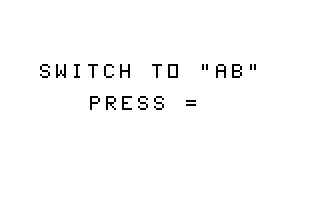
Multcart 4x2 - Mike White Used on the Astrocade multicart - Empty version. (Summer 2001) |
_tn.gif)
|
Namco Font - Richard Degler A program to display the Namco font on a Bally / Astrocade. Only 24 characters can be typed from the key-pad (mostly numbers and symbols.) So first it prints ALL the letters double-sized, followed by some of the un-reachable symbols. The six (blue) letters in my name were stored in only four characters!! (2010) |
|
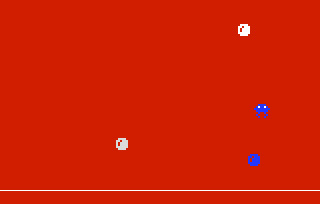
Program Tests - By Lance F. Squire Lance's first programming tests. Option One is a bouncing ball, using the Bally 'VWRITR', 'VBLANK' and 'VECT' routines. Option Two is three balls plus an extra. This one uses XOR mode for smooth overlays of multiple images. Option three is not yet finished. (2002) |
|
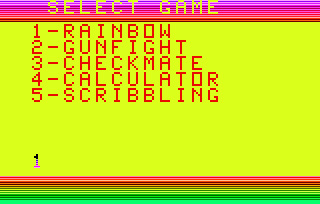
Rainbow - By Adam Trionfo Displays the title screen with a rainbow pattern. Move the knob until you get a pleasing effect. (2004) |
.gif)
|
Rainbow (Ver. 2) - By Hanson Displays 66 colors on-scren at once. Here is Richard Degler's disassembly of the "Rainbow (Ver 2)" ROM image for your perusal. It took Richard six hours to do, but that's including the time to figure out why part of the code is disabled. BTW, if your name is Hanson and this is your code - Speak up! (198x) |
 (2008)(Richard Degler).jpg)
|
Rainbow - Version 3 - By Richard Degler By Richard C. Degler based on Ver. 2 by Hanson Now 256 colors! "I wanted to make a 256-color display so I changed their horizontal rows in the 66-color Rainbow Ver. 2 over to vertical columns (as can be seen during the 2 second pause when starting) and doubled up on the interrupts. I also enabled their once-a-second routine so the colors scroll like they were meant to, but the call to STIMER (System Timer routine) that was in there interrupted the interrupts too much, causing a nasty flicker, so I couldn't use that like I wanted to. Since the Split Value always needed to be set to 5 anyway, I removed that step and added some ghosted XOR text instead. I ended up using exactly the same amount of code as the earlier version - 390 bytes! It still ignores all input except for the Keypad, which still does a Reset. Not sure I like the border color changing but there you go." (July 2008) |
|
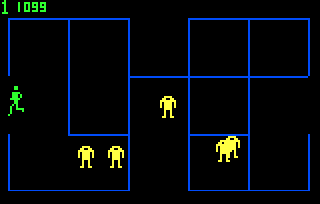
"Scroll Tests" By Lance F. Squire July 1, 2003. Similar to ProgramTests with less flicker on 3balls and a sideways screen scroll! |
|
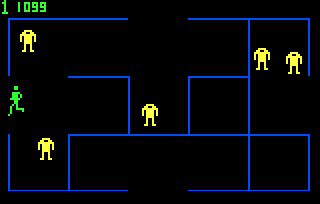
"Scroll Test A. By Lance F. Squire Oct. 22, 2003. AKA BalZerk V 0.2 ;) This one just draws the screen and scrolls in each of the four directions. The code is not the best as it was thrown together quickly. |
|
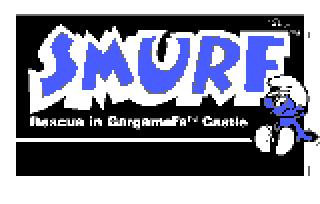
Smurf Title Screen - By Kurt Woloch This is a title screen that includes some music and displays a Smurf bitmap graphic on screen. Included are source code, binary and screenshots. There was a long discussion about Smurf on the Bally Alley discussion group in February of 2006. (Feb. 19 and 21, 2006) |
|
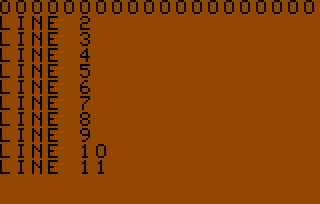
String Display - By Adam Trionfo Displays a character screen 20x11. Any strings can be put on the screen. (Mar. 30, 2002) |
|
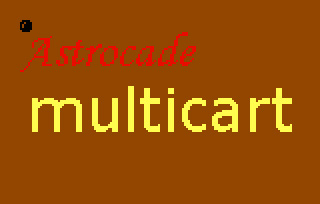
Title / Ball - By Adam Trionfo Displays an Astrocade bitmap picture. This example displays an Astrocade Multicart title screen with a ball bouncing around (that erases the picture as it draws). (Dec. 6, 2003) |
|
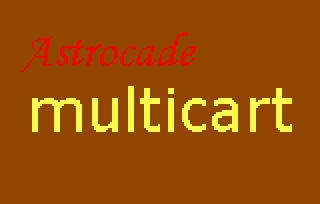
Title Display - By Adam Trionfo Displays an Astrocade bitmap picture. This example displays an Astrocade Multicart title screen. (Nov. 30, 2003) |